ECH and SNI Blocking in 2026: The Complete Guide to Setup
An in-depth analysis of ECH, SNI, and DPI in 2026: how they work, why blocks occur, how to set up ECH and related techniques correctly, which tools to choose, common mistakes, and how to ensure stable service availability without metadata leaks.
Content of the article
- Introduction
- Basics
- Deep dive
- Practice 1. enabling ech via cdn
- Practice 2. self-hosted tls terminator with ech
- Practice 3. client settings for ech and secure dns
- Practice 4. circumventing sni blocking where ech isn’t available
- Practice 5. domain architecture and public name
- Practice 6. testing, metrics, and slo
- Practice 7. compatibility and corporate perimeters
- Common mistakes
- Tools and resources
- Case studies and outcomes
- Faq
- Conclusion
Introduction
Transport layer encryption has long been standard, but until recently, one crucial piece of metadata remained visible to providers and deep packet inspection systems. We're talking about SNI—the domain name sent in cleartext within the TLS handshake. In 2026, ECH, or Encrypted Client Hello, takes center stage in defending against SNI blocking. This dramatically complicates domain-based censorship and changes infrastructure configuration practices. In this guide, we'll explore why ECH matters, how it works, where to implement it, common pitfalls that break accessibility, and alternative approaches when ECH isn't yet supported. We'll take you from the basics to advanced DPI strategies, providing step-by-step instructions and practical checklists.
Basics
What is SNI and Why is It Blocked?
SNI is a TLS extension that lets the client specify the hostname so the server can present the correct certificate. The problem is, SNI travels in the very first handshake message and, before ECH, was sent in plain text. DPI systems and provider filters analyze this part of the traffic, enabling both domain-based blocking and behavioral filtering based on handshake patterns. Its simplicity and high accuracy have made SNI a favorite target for blocking.
What is ECH?
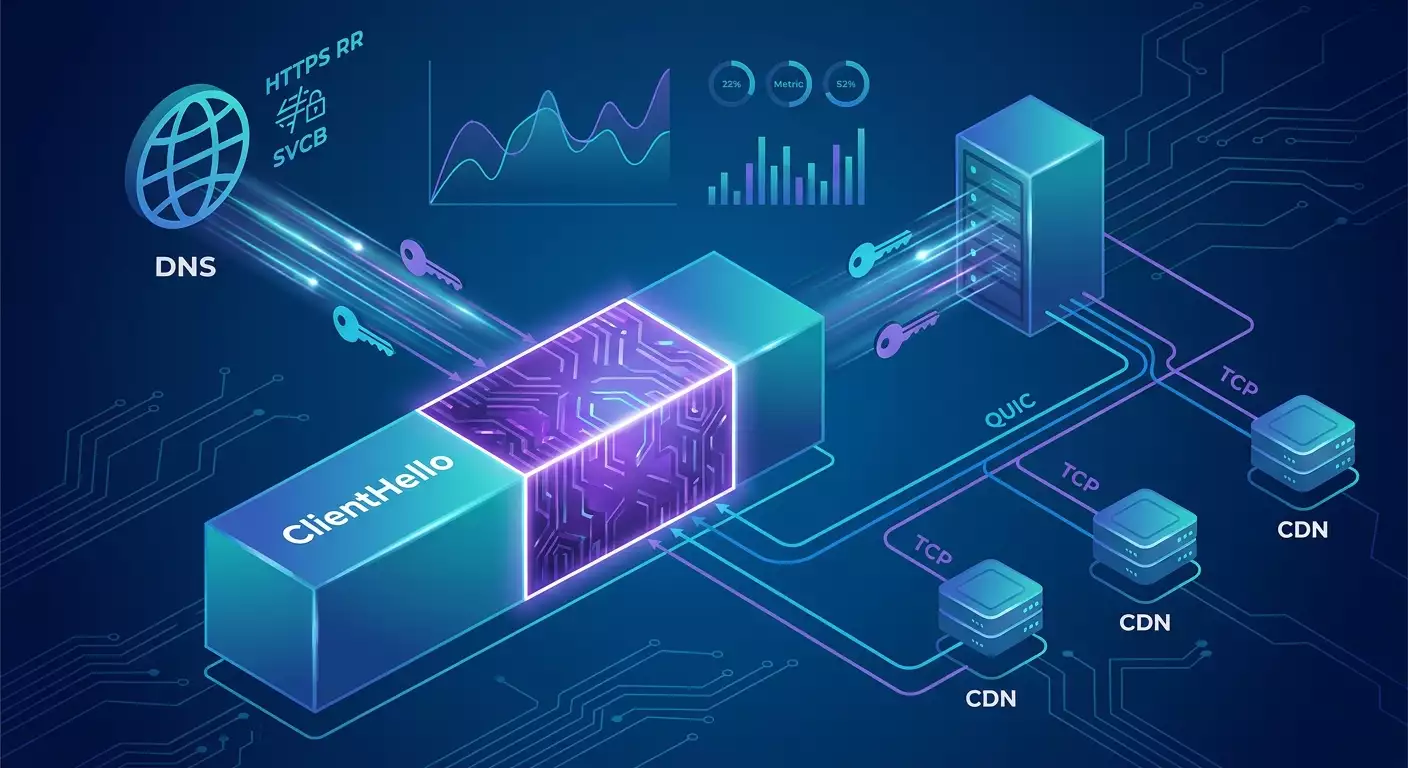
Encrypted Client Hello (ECH) is a TLS 1.3 standard that moves sensitive ClientHello fields, including SNI, into an encrypted section. The client sends two ClientHellos—an outer and an inner. The outer one contains a neutral public name and the server’s ECH configuration parameters. The inner one holds the real SNI and session parameters, encrypted using HPKE with a public key from the ECH config, which the client retrieves in advance via DNS HTTPS RR or SVCB records.
DNS HTTPS RR and SVCB
For a client to encrypt the inner ClientHello, it needs the server’s public ECH parameters. These are published in DNS records of type HTTPS or SVCB. The record includes addresses, ports, ALPNs, and a base64-encoded ECH parameter field. Clients using protected resolvers like DoH or DoT receive these parameters and can create an ECH packet. Without secure DNS, the config can be intercepted or tampered with, so always resolving via DoH or DoT is strongly recommended.
How Does DPI Respond to ECH?
With ECH, the SNI vanishes from the visible handshake portion. What remains visible are the server IP, port, TCP or QUIC protocol, packet sizes, timings, some markers from the outer ClientHello, and the public name domain. DPI shifts towards behavioral and statistical analysis, using JA3 and JA4 fingerprints, QUIC Initial inspection, and aggregated routing signals. Blocking becomes more costly and blunt, often impacting legitimate traffic.
Deep Dive
ECH Architecture
At its core, ECH uses HPKE—a hybrid cryptographic scheme applying KEM, KDF, and AEAD. The server publishes a list of configs with parameters for KEM, KDF, AEAD, and a key. The client picks a suitable config, encrypts the inner ClientHello, and sends the outer handshake. The server attempts to decrypt based on the public name and ECH policies. If successful, it proceeds normally; if not, it returns either an implicit refusal or a signal that allows the client to fallback if the policy permits.
Fallback and Security
Managing fallback is critical. If a client falls back to sending open SNI upon ECH failure, DPI recovers all the info it wants. Modern stacks enforce mandatory ECH for the domain and ban falling back to clear handshakes via browser and server settings. GREASE is also used with ECH to insert pseudo-random markers, preventing middleboxes from breaking handshakes due to unfamiliar formats.
QUIC and HTTP3
As QUIC and HTTP3 grow in usage, ECH naturally fits into the first datagram. QUIC Initial remains visible but only carries public metadata—not the real SNI when ECH is enabled. DPI targets now focus on IPs, behavior, and stats. Operators respond by deploying services on anycast, using shared public names, and combining traffic engineering tactics.
JA3, JA4, and Fingerprints
ECH does not hide behavioral fingerprints. The set of extensions, field ordering, cipher suites, and ALPN form a client fingerprint. DPI leverages these to target specific implementations. It's recommended to unify fingerprints to resemble popular browsers and keep TLS libraries up to date, so your traffic looks natural. For non-browser apps, use libraries that mimic popular client fingerprints.
Key and Config Rotation
ECH configs must be rotated regularly. Typical cycles range from one week to a month depending on risk policies. Publish new configs in DNS first, wait for cache invalidation, then retire old ones. Rotating too often can raise failed connection rates due to client and resolver caching. Metrics on handshake success and quick rollback capability are essential.
Practice 1. Enabling ECH via CDN
Who Should Use This
If your goal is to quickly and reliably enable ECH for web domains, using a CDN or managed TLS terminator that officially supports and tests ECH compatibility is the most straightforward path. You gain faster deployment and better resilience to unusual clients.
Steps
- Verify domain ownership with your chosen CDN provider and issue certificates for target domains.
- Enable ECH in the management panel. This usually involves a toggle and choosing fallback policy—recommended to forbid open fallback.
- Check HTTPS RR or SVCB records in your DNS zone. The provider will add ECH parameters. Make sure TTL is balanced—not too high for smooth rotation, not too low for stability. Values between 300 to 3600 seconds work well.
- Configure origin traffic sources. Between CDN and your origin, you can use mTLS, TLS 1.3, and an allowed cipher suite list. SNI hiding here isn’t necessary but interface isolation is possible.
- Enable DoH and DoT for internal and edge resolvers. Without protected DNS, ECH’s effectiveness reduces sharply.
- Test end-to-end. From corporate networks and mobile channels, verify ECH setup with diagnostic tools and browser telemetry.
Acceptance Checklist
- Confirm real domains aren’t visible in the open ClientHello—auditor tools should show only the public name.
- Verify no open fallback occurs if ECH is unavailable—connection failure is better than SNI leakage.
- Measure ECH handshake success rate hourly and daily. Aim for above 98% in mainstream regions; investigate lower rates.
- Check behavior with both IPv6 and IPv4—filters may still be asymmetric.
Practice 2. Self-Hosted TLS Terminator with ECH
When to Consider This
CDNs aren’t for everyone. Some scenarios demand full local processing, special routing controls, custom load balancers, or unique protocols. In 2026, some proxies and load balancers support ECH and HPKE through TLS libraries that implement them. It’s more complex but offers maximum flexibility.
Deployment Plan
- Choose software stack. Pick a load balancer or proxy built with a TLS library featuring ECH and HPKE. Candidates include modern builds of popular proxies based on BoringSSL or OpenSSL with active ECH, plus proxy-level gateways where mainline support matured by 2026. Verify exact versions in release notes and compatibility matrices.
- Generate ECH configs. Create HPKE keys with contemporary KEM X25519, KDF using SHA256, and AEAD using AES-GCM or ChaCha20 depending on your performance and hardware acceleration needs. Prepare multiple configs for smooth rotation.
- Publish in DNS. Add HTTPS or SVCB records with proper ECH parameters. It’s crucial to define the public name correctly and associate it with your terminator IP set.
- Set server policies. Enforce mandatory ECH for domains where SNI leaks are unacceptable. Enable GREASE support to improve robustness against unconventional intermediaries.
- ALPN and cipher suites. Restrict to a modern minimal set without breaking legacy clients. HTTP3 (h3) and HTTP2 (h2) should be enabled; keep HTTP1.1 if needed.
- Tracing and diagnostics. Enable extended early handshake logs without user data. Record decryption failures, ECH handshake success rates, resolver versions, and return codes.
Verification and Rollback
- Conduct staged rollouts by subnet or geography: start with 5%, then 25%, 50%, and finally 100% traffic.
- Prepare quick DNS rollbacks by lowering TTL and having fallback records without ECH if business continuity requires it.
- Integrate synthetic monitoring from independent networks, including mobile operators and major DPI-enabled providers.
Practice 3. Client Settings for ECH and Secure DNS
Browsers
By 2026, mainstream browsers support ECH natively. Make sure organizational policies don’t disable secure DNS or ECH. Enable protected resolvers like DoH or DoT and specify trusted providers. Ensure company domains allow ECH and forbid fallback. Large deployments benefit from configuration profiles for Windows, macOS, Linux, and mobile platforms.
System Resolver
Even if browsers use their own resolvers, the system resolver should support DoH or DoT for non-browser apps. Corporate networks often run internal resolvers forwarding upstream via DoT with caching and privacy controls. On mobile, use the OS resolver with DoT enabled to a trusted recursive.
Mobile Clients
On iOS and Android, enable private DNS and configuration profiles. Test behavior when switching networks and operating behind carrier NAT and CGNAT. Verify IPv6 functionality. If you have a custom client app, add monitoring of ECH handshake success rates within its SDK.
Testing and Monitoring
- Automated tests on every client release covering ECH across multiple domains and resolvers under various networks.
- Telemetry on handshake errors, DNS and TLS timings, and deviations in packet length distributions.
Practice 4. Circumventing SNI Blocking Where ECH Isn’t Available
Classic TLS Tunnel and Obfuscation
If ECH isn’t available on a service or client, tunneling is the fallback. The goal: divert DPI from the targeted handshake. Techniques include TLS-in-TLS, proxies over HTTP2 or HTTP3, hiding UDP inside HTTP3 MASQUE, and using transports with fingerprints matching popular browsers.
HTTP3 MASQUE and CONNECT-UDP
A MASQUE gateway accepting HTTP3 sets up a proxy tunnel inside for TCP and UDP. DPI sees regular QUIC traffic to the proxy’s public domain. Inside flows arbitrary transport to the target. This method conveniently hides both web and non-standard ports. Setup involves deploying an HTTP3-capable gateway supporting CONNECT-UDP and enabling SOCKS5 system proxy over HTTP3 client-side.
TLS-in-TLS and Fingerprint Imitation
Another tactic wraps traffic in TLS with fingerprints of popular browsers. The client creates an outer TLS connection to a proxy domain that’s sensitive to censorship. Inside, data flows like a normal stream. To mimic accurately, libraries replicate extension order, padding, and ALPN, boosting resistance against JA3 and JA4 targeting.
VPN as Transport
Protocols like WireGuard, IKEv2, and OpenVPN remain reliable. WireGuard benefits from running on non-standard ports or UDP 443 to resemble QUIC. IKEv2 on port 4500 works well through NAT-T. OpenVPN over TCP 443 can masquerade as regular TLS but with higher latency. Keep fingerprints minimal and natural, avoiding DPI-easy signatures.
Step-By-Step General Plan Without ECH
- Choose transport based on environment—UDP with QUIC obfuscation often works best on mobile; TCP 443 sometimes better in corporate networks.
- Deploy proxy or VPN on a public domain with well-known certs and proper ALPN. Monitor fingerprints closely.
- Enable DoH or DoT client-side. Even without ECH, secure DNS reduces analysis surface.
- Run load tests and collect telemetry on latency and successful connection rates hourly.
Practice 5. Domain Architecture and Public Name
Why Public Name Matters
The outer ClientHello includes the public name visible to DPI. It must be safe to publish and not compromise your objectives. Common practice is to use general-purpose domains that are either not of interest to censors or that block too many services if restricted.
Domain Space Strategy
- Classify domains by category: public, internal, sensitive. For public domains, fallback may be temporarily allowed; for sensitive ones, fallback should be completely disabled.
- Maintain multiple public names per region to reroute traffic during attacks targeting specific IP ranges.
- Monitor certificates and SAN fields—too many SAN entries can reveal internal structure.
Practice 6. Testing, Metrics, and SLO
Success Metrics
- Handshake success: the ratio of successful ECH handshakes to attempts. Aim above 98% in mainstream networks.
- Fallback rate: share of connections attempted in clear mode. Target below 0.1%, ideally zero.
- Median TTFB and p95 for HTTP2 and HTTP3; compare before and after ECH deployment.
- Error taxonomy: map failure codes including decryption errors, DNS timeouts, and server response issues.
Testing Tools
Use isolated test environments, real mobile networks with aggressive DPI, simulate loss and jitter, and synthetic handshake generators with varied fingerprints. Plan regression and stress tests.
Practice 7. Compatibility and Corporate Perimeters
TLS Inspection and Perimeter Proxies
Some corporate networks still rely on TLS inspection, which by design breaks ECH. Policies vary: where inspection is mandatory, ECH must be disabled for internal domains or terminators placed behind the perimeter, sacrificing some privacy. Hybrid approaches list domains where ECH is mandatory and inspection disabled.
Configuration Policies
- Document domain lists requiring ECH and forbidding fallback.
- Coordinate with security teams on inspection-allowed zones.
- Build monitoring comparing policy and actual client configurations.
Common Mistakes
- Open fallback: the most dangerous mistake causing immediate SNI leaks if ECH fails.
- No secure DNS: without DoH or DoT, ECH configs risk interception or tampering, and domain queries remain visible.
- Overly aggressive ECH config rotations causing cache misses and increased connection failures.
- Incorrect public names revealing structure or triggering targeted blocks.
- Ignoring fingerprints: unusual extension sets and field orders attract DPI attention.
- Uncovered IPv6: differences in v6 and v4 blocking cause accessibility issues.
- Missing synthetic tests in DPI-heavy networks: local tests don’t reflect reality.
Tools and Resources
Testing ECH
- Handshake analyzers extracting visible ClientHello parts to confirm no SNI leaks.
- JA3 and JA4 fingerprint analyzers for servers and clients to identify and unify fingerprints.
- DNS HTTPS RR and SVCB generators and validators checking ECH parameter correctness and TTLs.
- Synthetic agents across providers, including mobile, for continuous availability monitoring.
TLS Libraries and Proxies
- Modern proxy and load balancer builds with ECH and HPKE support—consult compatibility matrices and release notes. For HTTP3, ensure stable QUIC implementations on your OS and kernel.
- Client libraries capable of mimicking popular browser fingerprints for non-browser applications.
Practical Advice for Personal VPNs
vpn.how provides personal VPN servers with dedicated IP addresses. Available locations, protocols and current prices are shown on the website and in your account. Payment methods and the final amount are displayed at checkout. Choose a server
Case Studies and Outcomes
Media Service Across Multiple Jurisdictions
Goal: ensure web and mobile client access in regions with SNI blocking and variable network quality. Solution: enable ECH via CDN for all UI domains, aggressively disable fallback, implement protected DNS via DoH in client apps. Result: successful connection rates rose from 91% to 99.2%, blocking complaints dropped by 70%, TTFB p95 saw a 12% decrease thanks to partial HTTP3 traffic migration.
Fintech Backend and Partner Integrations
Goal: protect API domains and partner traffic. Solution: self-hosted TLS terminator with ECH, HTTPS RR published with short TTL and biweekly planned config rotation, unification of SDK client fingerprints to mimic popular browsers, no open fallback. Result: stable 98.7% ECH handshake success, fewer false IDS triggers from partners, monthly block incidents reduced to rare cases resolved by switching public names.
Individual Users and Mobile Traffic
Goal: maintain access to all usual resources despite SNI and IP-range blocks. Solution: personal VPN servers running WireGuard on UDP 443 and fallback IKEv2 on 4500, device profiles enable private DNS prioritizing DoH. Result: stable access during network changes and roaming, disconnection rate below 0.5% daily, no noticeable ping degradation on popular services, minimal DPI detections due to unusual ports and dedicated IP.
FAQ
Can I skip secure DNS if ECH is enabled?
Technically, yes, but protection weakens significantly. ECH configs and their delivery path remain visible and vulnerable to tampering. Moreover, DNS queries and cached answers are easy to analyze. Enabling DoH or DoT everywhere is highly recommended.
How often should I rotate ECH configs?
Basic guidance is one week to one month. Assess your risk surface and cache lifetimes. Overlapping active configs between DNS and server avoids error spikes.
What to do if the rate of failed ECH handshakes fluctuates?
Check TTLs on HTTPS RR and SVCB records, resolver availability, UDP stability if using HTTP3, correctness of public names, and GREASE statistics. Also monitor the share of clients using outdated software.
Does switching to another IP help?
Sometimes short-term, especially if blocking is IP-based. But DPI targeting SNI won’t be resolved without ECH. Better to enable ECH and distribute traffic across multiple public names for resilience.
Will ECH break corporate inspection?
Yes, by design. If inspection is mandatory, ECH must be disabled for specific domains or terminators placed behind perimeter appliances, trading off privacy. Hybrid domain lists usually address this.
How to handle JA3 and JA4 fingerprints?
Keep TLS stacks updated, model fingerprints after popular browsers, and use imitation libraries for non-browser apps. Avoid exotic extension sets and field orders unless necessary.
Is HTTP3 still useful if ECH is enabled?
Absolutely. HTTP3 improves resilience to loss and speeds up reconnections during roaming. Paired with ECH, it reduces latency and boosts stability. However, monitor QUIC implementations and MTU settings carefully.
Can I use the same public name for all domains?
Technically possible, but strategically better to have several to distribute traffic and isolate risks. Don’t overcomplicate rotation matrices to avoid management confusion.
When is a personal VPN preferable to ECH?
If you don’t control server-side services and want stable access without deep ECH setup, a personal VPN offers quick wins—especially where DPI targets shared IPs of large providers and common ports.
Is domain fronting a universal solution?
No. Domain fronting is now limited to big clouds and detectable in many networks. In 2026, rely on ECH, MASQUE, and well-constructed VPN transports with personal IPs.
Conclusion
In 2026, ECH is an essential shield against SNI blocking and a mature transport-level privacy tool. Success depends not just on enabling ECH but on disciplined operation: secure DNS, forbidding fallback, config rotation, metrics monitoring, and fingerprint control. Where ECH isn’t available, tunnels over HTTP3 MASQUE, TLS-in-TLS with natural fingerprints, and personal VPNs using smart transport and port choices fill the gap. Approach this as an engineering project: plan, pilot, measure, iterate. This ensures not only stable connections today but resilience against tomorrow’s DPI evolution. Your next steps: craft domain and ECH policy matrices, enable secure DNS, design regional rollout strategies, and deploy synthetic checks. Then establish baseline SLOs and regular config rotation. Remember: domain architecture and public names are key details often deciding success in complex networks.
Publisher: vpn.how