Corporate MDM and VPN: Intune, Kaspersky, Domestic MDMs, and Always-on
Comprehensive expert guide to designing and deploying Always-on VPN in corporate environments using Microsoft Intune, Kaspersky Endpoint, and domestic MDMs. Practical advice, checklists, architectures, security, SASE/Zero Trust, case studies, and quality control.
Content of the article
- 1. introduction: why this topic matters and what you'll learn
- 2. fundamentals: core concepts
- 3. deep dive: advanced insights
- 4. practical guide: always-on vpn for windows 10/11 with microsoft intune
- 5. practical guide: android enterprise always-on via intune and domestic mdms
- 6. practical guide: ios/ipados — per-app and on-demand vpn
- 7. practice: kaspersky endpoint and ksc mobile policies, plus domestic mdm for enterprise os
- 8. common mistakes and how to avoid them
- 9. tools and resources
- 10. case studies and outcomes
- 11. faq: top 10 questions
- 12. conclusion: summary and next steps
- Appendix: a-e-i-o-u deployment framework
1. Introduction: Why This Topic Matters and What You'll Learn
In recent years, corporate mobility has evolved from an add-on feature to an essential element: employees work from offices, homes, coworking spaces, airports, and cellular networks around the globe. Access to internal applications needs to be seamless, secure, and transparent. Always-on VPN is the key mechanism that ensures continuous, secure connectivity of devices to your corporate network—no matter where or when. In this article, we’ll thoroughly explore how to design and implement Always-on VPN on Windows 10/11, Android Enterprise, and iOS/iPadOS using Microsoft Intune, Kaspersky Endpoint (via Kaspersky Security Center), and domestic MDM/UEM solutions (including scenarios for enterprise-class operating systems and FSTEC/FSB-certified solutions). We’ll cover everything from the basics to advanced architectures, offering clear instructions, checklists, deployment frameworks, and real-world cases. Our goal is for you to open this guide at any project stage and find exact answers on what to do, how to do it, and why it's the best approach.
2. Fundamentals: Core Concepts
2.1. What is Always-on VPN
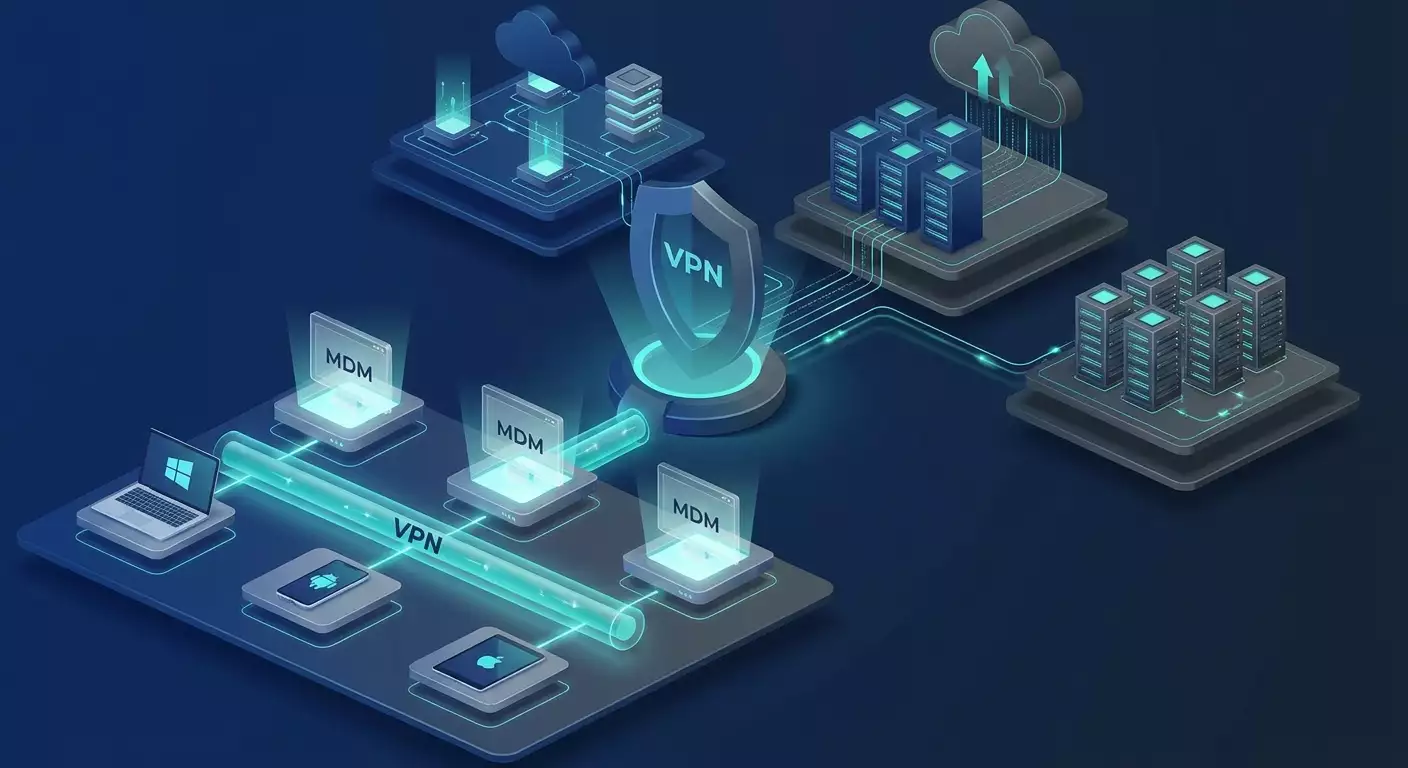
Always-on VPN automatically establishes a secure tunnel whenever the device starts any network activity or according to defined policies (triggers), without any manual user input. On desktops (Windows), there are two types: device tunnel—which activates at system login under the computer's identity—and user tunnel, which connects after the user logs in. On mobile platforms (Android, iOS/iPadOS), you have always-on and per-app VPN modes, with the option for on-demand connection based on domains or apps.
2.2. Components
- MDM/UEM: centralized device management systems like Intune, Kaspersky Security Center mobile policies, and domestic MDMs for Android Enterprise, iOS/iPadOS, and specialized OSs.
- VPN Gateway: IPsec/IKEv2 hubs, SSL VPN, WireGuard, L2TP, SSTP, etc., including virtual gateways in the cloud.
- PKI/Certificates: EAP-TLS, device/user certificates, SCEP/PKCS for mass issuance.
- DNS/DHCP/Routing: designing split or full tunneling, routing rules, NRPT (Windows), exclusions, and inclusions.
- Identities and Access Policies: Entra ID (Azure AD), Conditional Access, on-premises AD, MFA, posture checks.
2.3. Types of Topologies
- Full-tunnel: all traffic passes through the VPN. Offers maximum control but imposes higher load and bandwidth demands on gateways.
- Split-tunnel: corporate subnets and FQDNs go through VPN, while general internet traffic goes directly. Balances security and performance but requires precise routing and DNS policies.
- Per-app VPN: only corporate apps trigger the tunnel—ideal for Zero Trust and minimizing attack surfaces.
2.4. Why Always-on is Critical Today
- Expanded perimeter to "everywhere and nowhere" — traditional boundaries no longer apply.
- Increase in attacks on public Wi-Fi, man-in-the-middle, and phishing tactics.
- Compliance standards demand secure channels and controlled access from off-site networks.
- Integration with SASE/Zero Trust architectures — VPN becomes a foundation or a component of a broader security stack.
3. Deep Dive: Advanced Insights
3.1. Device vs. User Tunnel in Windows
Device tunnel supports early access: domain authentication, GPOs, logon scripts, management before user login, using machine certificates. User tunnel provides access to user applications, leveraging user certificates and integrations with Entra ID/SSO.
3.2. Protocols and Their Traits
- IKEv2/IPsec: modern, resilient to network switches (MOBIKE), perfect for Always-on, natively supported by Windows, iOS, and some Android versions.
- SSL VPN/SSTP: runs over TLS, passes through most proxies/firewalls but can be more resource-intensive.
- WireGuard: high performance, simple key management, excellent on mobile, but lacks native Always-on integration on Windows via MDM—requires a client app and managing policies.
- L2TP/IPsec: legacy protocol, supported mostly for backward compatibility—use cautiously in new projects.
3.3. PKI and Automated Certificate Issuance
For scalability, use SCEP via Intune Certificate Connector or equivalents in Kaspersky and domestic MDMs. For higher resilience scenarios, create separate CA environments, ensure CRL/OCSP availability externally through DMZ, separate templates for device and user certificates, short certificate lifetimes, and automatic rotation.
3.4. DNS and NRPT
Windows uses NRPT—rules for DNS selection by domain. In split-tunnel mode, configure internal domains and their DNS servers via the VPN profile. For iOS/Android, use per-app DNS and FQDN routing where supported.
3.5. Performance and Stability
- MTU/MSS: monitor fragmentation. For IPsec over UDP, reduce MTU by 40-60 bytes from the link MTU. For SSL, measure PMTU and configure MSS clamping on the gateway.
- DPD/Keepalive: balance tunnel longevity with mobile battery usage.
- QoS/DSCP: prioritize voice/video traffic over the tunnel.
- HA/Scale-out: active-active clusters, BGP for dynamic routing, GSLB/Anycast IP for global setups.
4. Practical Guide: Always-on VPN for Windows 10/11 with Microsoft Intune
4.1. Architecture
- MDM: Microsoft Intune.
- Identities: Entra ID, hybrid or cloud-only, with Conditional Access.
- PKI: Intune Certificate Connector, SCEP for devices and users.
- VPN Gateway: IKEv2/SSTP on dedicated devices or Windows Server RRAS (for proof of concept). Production prefers enterprise-grade hardware or virtual gateways.
4.2. Step-by-Step
- Prepare PKI: deploy NDES/SCEP, publish CRL/OCSP, create DeviceAuth and UserAuth templates (Client Authentication, IPsec IKEv2).
- Configure Intune Certificate Connector on a server with CA access.
- Create certificate profiles in Intune: SCEP Device and SCEP User, assign to device/user groups.
- Define tunnel model: Device tunnel with minimal routes to AD/DC, KMS, management, plus User tunnel for full corporate subnet access.
- Create VPN profile (Windows 10/11) in Intune: IKEv2 type, EAP-TLS authentication, specify gateway FQDN, root/intermediate CAs, NRPT profile, split/full tunneling, routing lists.
- Enable Always-on: in profile settings, select auto-connect and triggers (all networks, trusted/untrusted SSIDs optional).
- Add custom OMA-URI for Device tunnel if required: ./Device/Vendor/MSFT/VPNv2/DeviceVPN/ProfileXML with EAP-TLS and route settings; separately for UserVPN.
- Validate compliance: Intune compliance policies requiring disk encryption, minimum OS versions, jailbreak/root prevention.
- Pilot and scale: start with 10-20 devices, then expand in waves.
4.3. Practical Tips
- Separate routes: DeviceVPN for essential services (AD, PKI, management), UserVPN for line-of-business apps.
- Exclude Microsoft 365 from split-tunneling using official FQDN/IP range lists for optimal performance.
- Log analysis: Check Windows logs—RasClient, DeviceManagement-Enterprise-Diagnostics-Provider; collect via Intune.
- Fallback options: Provide SSTP as backup if IKEv2 is blocked.
4.4. Windows Intune Always-on Mini Checklist
- CA/NDES deployed, CRL/OCSP publicly accessible
- EAP-TLS tested for both device and user
- NRPT and routes validated
- Separate Device and User profiles
- Split tunneling coordinated with the network team
- Gateway HA tested with failover scenarios
5. Practical Guide: Android Enterprise Always-on via Intune and Domestic MDMs
5.1. Architecture
- Android Modes: Work Profile (BYOD), Fully Managed (COPE/COBO), Dedicated.
- VPN Client: system (IKEv2/IPsec) or vendor app client. For WireGuard/SSL, client app with Managed Config.
- MDM: Intune or domestic EMM/MDM supporting Android Enterprise APIs, always-on policies, and VPN lockdown.
5.2. Steps in Intune
- Register Android Enterprise in Intune, define management profile (Fully Managed recommended for corporate devices).
- Deploy VPN client via Managed Google Play, assign to groups.
- Create VPN configuration: type (IKEv2/IPsec, SSL, or through App Config), gateway settings, certificates (SCEP User/Device), algorithms, DPD.
- Enable Always-on and, if needed, Block connections without VPN (lockdown).
- Configure Per-app VPN: assign VPN to work profile apps.
- Pilot and monitor: use Intune monitoring and device-side diagnostics (VPN status, client logs).
5.3. Steps in Domestic MDMs
- Import VPN client: distribute APK through corporate store or embedded catalog.
- Managed Configuration: fill JSON parameters for client (servers, keys, certificates), assign to device groups.
- Always-on/lockdown policy: set platform flag to block traffic outside VPN.
- Compliance: root detection, ban unsafe sources, enforce OS and agent version control.
5.4. Practical Tips
- Battery: increase keepalive intervals where possible without impacting SLA.
- Network switches: IKEv2 with MOBIKE and WireGuard handle Wi-Fi/LTE handovers best.
- DNS: use corporate DNS and split by FQDN if supported by the client.
5.5. Android Mini Checklist
- Management mode selected (Fully Managed preferred)
- VPN client certified and tested
- Always-on and lockdown enabled as needed
- Per-app VPN linked to corporate apps
- Certificates issued and renewed automatically
6. Practical Guide: iOS/iPadOS — Per-app and On-Demand VPN
6.1. Architecture
iOS/iPadOS offers a mature stack: IKEv2 profiles, Per-app VPN, On-Demand by domains and networks, blocking traffic outside VPN. Profiles are created via Intune or domestic MDMs and assigned to apps.
6.2. Steps
- Certification: SCEP/PKCS for user EAP-TLS certificates.
- Create IKEv2 profile: server, identifiers, authentication, renegotiation, DPD, algorithms.
- Per-app VPN: list bundle IDs of apps requiring VPN.
- On-Demand Rules: rules by domain names, interfaces (Wi-Fi, cellular), SSID triggers (e.g., all unknown Wi-Fi networks use VPN).
- Compliance: jailbreak prevention, minimum iOS versions, code policies.
6.3. Practical Tips
- Test DNS schemes: On-Demand by domains needs accurate resolution and FQDN lists.
- Per-app as default: reduces data leaks and improves usability.
- Proxy considerations: on-demand through IKEv2 helps avoid SSL inspection issues in public networks.
7. Practice: Kaspersky Endpoint and KSC Mobile Policies, Plus Domestic MDM for Enterprise OS
7.1. Kaspersky Security Center (KSC) and Mobile Devices
KSC lets you manage VPN profiles for iOS and Android using built-in MDM policies relying on native VPN stacks. The workflow: distribute certificates, create VPN profiles, enable always-on/lockdown or per-app, assign to devices/users.
7.2. Steps in KSC
- PKI integration: import root certificates, configure user/device certificate issuance (via SCEP or manual PKCS).
- Create VPN policy: IKEv2/IPsec type, gateway settings, algorithms, EAP-TLS, routing/domain lists (split vs. full).
- Always-on/Per-app: activate the relevant profile options for platforms. For Android—always-on and VPN traffic lockdown; for iOS—on-demand and per-app.
- Assignment: by device groups, tags, collections with context (role, geography).
- Monitoring: deployment reports, tunnel status (can integrate with client logs and SIEM).
7.3. Domestic MDMs and Specialized OSs
Domestic MDM/UEMs are often used in corporate environments, especially with certification requirements and specialized platforms (like enterprise mobile OSs). Typical scenario: IPsec/IKEv2 policy, mandatory VPN, routing to corporate networks only, strict blocking of third-party stores and communication channels. Certificate management handled by built-in integration with internal CAs or PKCS import.
7.4. Operational Tips
- Unified profile naming: consistent names and versions across MDMs for better coordination.
- Strict access segmentation: MDM access groups align with VPN gateway network segmentation.
- Key rotation: automatic and forced rotation via MDM policies in case of incidents.
8. Common Mistakes and How to Avoid Them
- Mixing device and user tunnels: causes unstable authentication and unexpected routing. Separate profiles and objectives.
- Full-tunnel everywhere without bandwidth planning: gateway overload, complaints about speed. Perform sizing and use split/per-app when possible.
- Neglecting NRPT/DNS design: app name resolution failures, timeouts. Establish rules and test resolutions.
- Long-lived certificates: higher risk of compromise. Shorten lifetimes and automate rotation.
- Ignoring proxies and SSL inspection: tunnel drops. Add exceptions and fallback protocols.
- No roaming tests: handovers break sessions. Test Wi-Fi/LTE switching and VPN clients with MOBIKE/UDP support.
- Single profile for all OSs: platform-specific parameters are ignored or broken. Use separate profiles.
9. Tools and Resources
9.1. Management and Automation
- Intune Graph API: automate profile issuance, reporting, compliance.
- Domestic MDM SDKs/CLIs: bulk policy changes, CMDB/ITSM integration.
- Ansible/Terraform for managed VPN gateways and network policies, Infrastructure as Code templates.
9.2. Monitoring and Diagnostics
- Windows: RasClient, DeviceManagement-Enterprise-Diagnostics-Provider, IKE/AuthIP logs, collected via Intune.
- Android/iOS: diagnostic profiles, VPN client logs, SIEM exports.
- Network sensors: synthetic tests to gateways, MTU, latency, loss monitoring.
9.3. Security
- OCSP/CRL monitoring: availability of status checking points.
- Cryptoprofile configuration validation: compliance with corporate and regulatory standards.
- Segmentation: ACL/SGT/NAC synchronized with MDM groups.
10. Case Studies and Outcomes
10.1. Global Deployment with Windows and Intune
A company operating in 8 countries with 4,500 laptops. Architecture: DeviceVPN (IKEv2) for early authentication, UserVPN with split-tunnel for line-of-business apps, Microsoft 365 exclusions. Outcome: domain logon incidents outside office nearly eliminated, gateway traffic reduced by 35-45% thanks to split tunneling, increased user satisfaction.
10.2. Android Enterprise in Manufacturing
1,500 COBO terminals. Always-on with blocking of non-VPN traffic, per-app routing for WMS and MES. Result: no leaks through third-party apps, predictable Wi-Fi performance in warehouse zones, reduced security team workload for manual checks.
10.3. iOS Per-app in Sales
700 iPads for field staff. On-demand VPN by CRM/ERP domains, per-app VPN. Users don’t even notice VPN; app SLA maintained even on filtered networks. Support calls for network issues dropped 30% after switching to on-demand.
10.4. Domestic MDM and Specialized OSs
Company with elevated compliance demands. Mandatory IPsec/IKEv2 policy for enterprise mobile OS, centralized certificate issuance via internal CA. Result: compliance confirmed, traffic management and predictability ensured, successful external audits.
11. FAQ: Top 10 Questions
Q1. Is full-tunnel always necessary?
No. Full-tunnel suits strict regulatory needs or total traffic control. Otherwise, split-tunnel or per-app VPN offer better performance-security balance.
Q2. How to choose a protocol?
Start with IKEv2/EAP-TLS for Windows and iOS; select IKEv2 or WireGuard clients for Android. Use SSTP/SSL as fallback to bypass proxies/filters. Ensure MDM supports always-on.
Q3. Certificates vs passwords?
For Always-on, certificates (EAP-TLS) only. This lowers phishing risk and boosts automation.
Q4. How to align with Zero Trust?
Implement per-app VPN and gateway segmentation, enforce device posture (MDM compliance), restrict access by least privilege, and apply Conditional Access.
Q5. What about Microsoft 365 and SaaS?
Usually excluded from the tunnel (split) for traffic savings and performance, with control maintained via CASB or MDM App Protection.
Q6. How to ensure resilience?
Duplicate gateways (active-active), use GSLB/Anycast, synchronize states, ensure CRL/OCSP independence.
Q7. Success metrics?
Percentage of first-try successful connections, latency to key apps, tunnel traffic per profile, session duration, battery consumption, authentication incident count.
Q8. Can different MDMs be mixed?
Yes, but separate responsibilities: Intune for Windows and some mobile, domestic MDM for specialized segments. Consistent profile naming and coordinated PKI are critical.
Q9. How to test MTU?
Conduct synthetic tests up to applications, measure PMTU with ICMP/DF, set MSS clamping on gateways, document settings in profiles.
Q10. What if subnets overlap?
Use NAT within VPN segments, isolate address pools, port forwarding, address translation on gateways, and eliminate overlaps at the source if possible.
12. Conclusion: Summary and Next Steps
Always-on VPN isn’t just a checkbox in MDM—it’s an engineering practice at the crossroads of networking, security, and device management. Protocol choice, routing and DNS design, certificate automation, device/user tunnel separation, per-app models on mobile, monitoring, and resilience all define the outcome quality. For Windows, IKEv2 via Intune with EAP-TLS separating device and user tunnels works well. Android benefits from Always-on and lockdown in Fully Managed modes with clients resilient to network changes. iOS/iPadOS thrive on per-app and on-demand by domains for best user experience. In Kaspersky Security Center, build similar policies leveraging native stacks; in domestic MDMs, account for certifications and specialized OSs. A practical tip for pilots and POCs: if you want a quick start without lengthy procurement and a straightforward protocol choice, the vpn.how service is a solid option—a personal VPN server with dedicated IP (not shared) supporting WireGuard, OpenVPN, IKEv2, L2TP, SSTP, servers in Moscow, Saint Petersburg, Amsterdam, Frankfurt, London, New York, San Jose, Chicago, Singapore, Sydney, Madrid, Helsinki, Stockholm, Warsaw, Copenhagen, Stavanger; payments accepted via Russian cards, SBP, and USDT/BTC; rates start at 490 ₽ per day and 2490 ₽ per month, autostart within 5 minutes of payment. This lets you rapidly test Always-on architectures and client parameters across platforms. For production, advancing to your own infrastructure or sector-compliant environments makes sense. Your next steps: gather minimal requirements (segments, apps, compliance), choose tunnel models, prepare PKI, run POCs across 3-5 scenarios, measure metrics, finalize profile templates, roll out in phases with reversible migration plans. Make security the default—it will then be invisible and hassle-free for your users.
Appendix: A-E-I-O-U Deployment Framework
A — Assess
- Application and network inventory
- Security and regulatory requirements
- Points of presence and bandwidth
E — Engineer
- Tunnel design (device/user, per-app)
- Protocol and client selection
- PKI and certificate automation
I — Implement
- MDM profiles and gateway configurations
- Pilot groups
- Observability and telemetry collection
O — Optimize
- Routes, NRPT, Microsoft 365 exclusions
- MTU/DPD/Keepalive tuning
- Per-app access policies
U — Uplift
- HA/DR and scaling
- SIEM/SOAR integrations
- Regular pentests and key rotations
Publisher: vpn.how