AWS Direct Connect vs VPN Gateway: Cost, Latency, and When a Dedicated Connection Pays Off
A comprehensive guide to choosing between AWS Direct Connect and Site-to-Site VPN: architecture, pricing, latency, failover design, TCO, and deployment checklists. Step-by-step methods, real-world cases, tools, and common pitfalls.
Content of the article
- Introduction: why this topic matters and what you'll learn
- Basics: core concepts
- Deep dive: advanced topics
- Practice 1: quick start with site-to-site vpn
- Practice 2: designing and implementing aws direct connect
- Practice 3: combined dx and vpn architecture
- Practice 4: economic model and tco for direct connect vs vpn
- Practice 5: latency, jitter, and performance
- Practice 6: security and compliance
- Practice 7: migrating from vpn to direct connect without downtime
- Common mistakes: what not to do
- Tools and resources: what to use
- Case studies and outcomes: real examples
- Faq: 7–10 in-depth questions
- Conclusion: summary and next steps
Introduction: Why This Topic Matters and What You'll Learn
Hybrid connectivity between on-premises data centers and AWS has reached a mature stage. Infrastructure teams seek predictable latency, cost-effective traffic, and strict SLAs, while maintaining flexibility and speed of change. In this article, we’ll break down the differences between AWS Direct Connect and Site-to-Site VPN via VPN Gateway or Transit Gateway, explain the costs and latency involved, when it makes sense to invest in a dedicated connection, and when it’s smarter to stick with VPN or combine both approaches. We’ll cover everything from the basics to advanced practices: routing protocols, MTU, QoS, ECMP, failover design, TCO models, and measurement techniques. Plus, you’ll get checklists, decision-making frameworks, migration scenarios, and real case studies with data.
Basics: Core Concepts
What is AWS Direct Connect
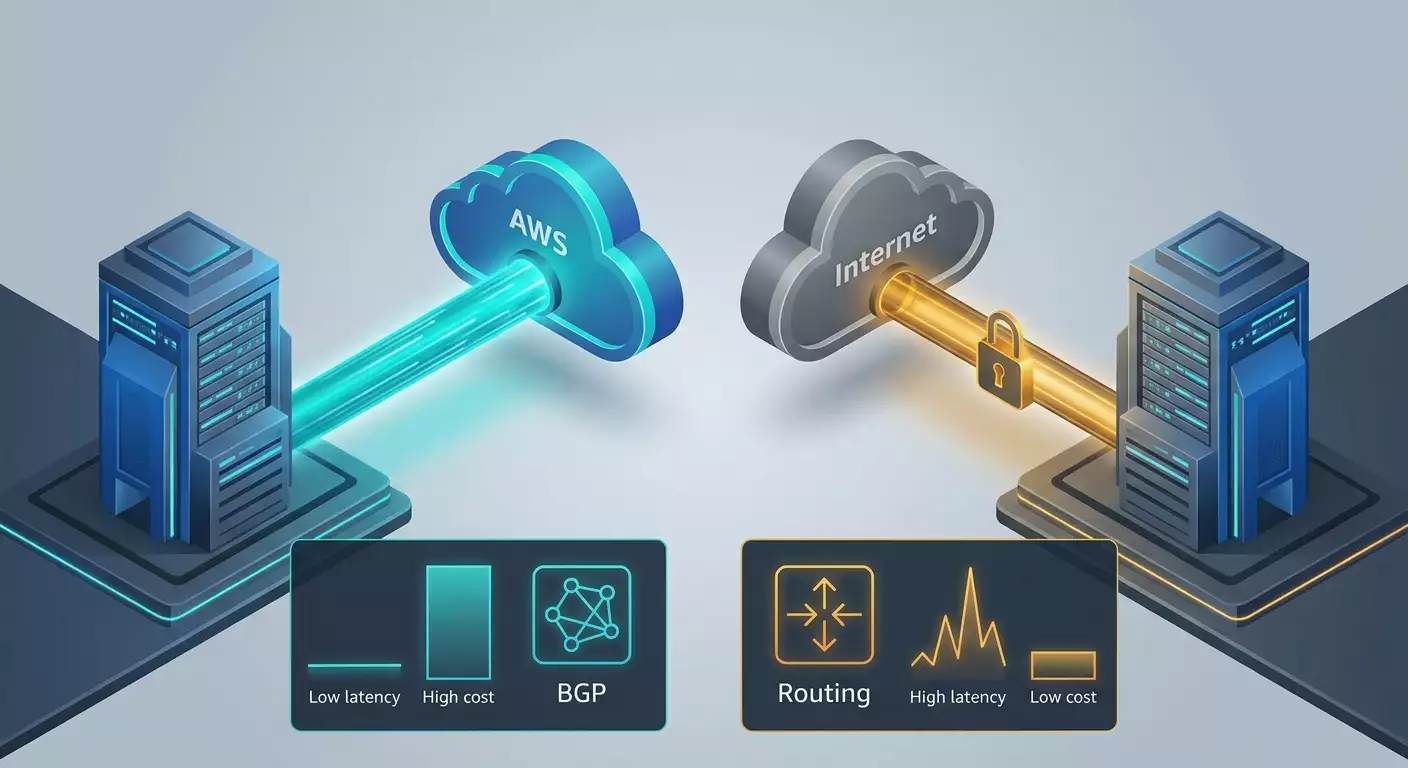
AWS Direct Connect is a dedicated Layer 2 link between your site or carrier node and AWS infrastructure. It bypasses the public internet and connects through partner colocation facilities. On one end, you have a port in a cross-connect facility; on the other, virtual interfaces in AWS tied to your account. The key advantage of Direct Connect is predictability: stable latency, low jitter, higher reliability, and reduced outbound traffic costs compared to the public internet.
What is Site-to-Site VPN
Site-to-Site VPN uses IPsec tunnels over the public internet connecting to AWS VPN Gateway or Transit Gateway. It provides encrypted connectivity, quick deployment without physical infrastructure, and a low entry barrier. Downsides include variable jitter, fluctuating latency, and limited throughput on a single tunnel. To scale, multiple tunnels and ECMP load balancing are used.
Key Terms
- Latency: Round-trip time (RTT) for packets. Crucial for databases, trading, and real-time applications.
- Jitter: Variance in delay, which impacts voice, video streams, and transactions.
- Throughput: Peak and sustained data transfer rates. Important for backups, ETL, and large data transfers.
- SLA: Availability guarantees considering your architecture.
- MTU: Maximum frame size. Affects efficiency and fragmentation. Jumbo frames improve throughput.
- Traffic billing: AWS charges for outbound (egress) traffic; ingress is usually free. Direct Connect offers reduced egress rates plus hourly port fees. VPN includes hourly connection fees and standard internet egress rates.
When to Consider Direct Connect vs VPN
- When latency and stability are critical, Direct Connect is preferred.
- For large volumes of outbound AWS traffic—hundreds of Mbps peaks or tens of TB monthly—Direct Connect saves costs.
- For rapid pilots or limited budgets, VPN is faster and cheaper to set up.
- Compliance and physical isolation requirements often favor Direct Connect.
- Geographically distributed organizations without local cross-connect facilities usually start with VPN or NaaS.
Deep Dive: Advanced Topics
BGP, Routing Policies, and Transit Gateway Interaction
Both Direct Connect and Site-to-Site VPN rely on BGP for dynamic routing. With Direct Connect, you create private virtual interfaces and establish eBGP peering with your router. Through DX Gateway, you can aggregate access to multiple VPCs and regions. VPN uses eBGP over IPsec tunnels to AWS’s virtual peers. Transit Gateway builds a routing domain segmented by route tables. Managing BGP attributes like Local Preference, MED, and AS Path Prepend lets you designate primary and backup paths between VPN and Direct Connect, as well as balance traffic.
MTU and MSS Size
Direct Connect supports jumbo frames up to 9001 bytes, reducing overhead for high-speed streams. IPsec over the internet usually limits effective MTU to about 1436 bytes or less, depending on encryption and encapsulation, which can reduce TCP throughput and increase overhead. Applying MSS clamping on VPN edges aligns TCP expectations and prevents fragmentation.
Security and Encryption Suites
VPN adds end-to-end encryption using IPsec IKEv2, ESP, modern ciphers like AES-GCM, and sometimes ChaCha20 on compatible devices. Direct Connect itself does not encrypt but provides a predictable private path. For sensitive data over Direct Connect, it's common to layer MACsec on provider segments, TLS at the application level, and disk and channel encryption at higher layers. By 2026, hardware encryption acceleration on network cards and routers and hybrid crypto policies for compliance are becoming prevalent.
Performance: ECMP, LAG, and Scaling
VPN scales horizontally via multiple ECMP tunnels, reaching aggregate throughput up to 2–5 Gbps, depending on traffic profiles and flow sizes. Direct Connect scales vertically with port speeds of 1, 10, or 100 Gbps and horizontally via Link Aggregation Groups (LAG) with multiple ports. For heavy data-moving scenarios, Direct Connect outperforms due to jumbo frames and no IPsec overhead.
SLA, Reliability, and Failure Domains
Direct Connect delivers predictability with a correct architecture: at least two independent cross-connects, separate devices, and points of presence. With two geographically distinct connections, you can achieve network-level SLAs of 99.99% and higher. VPN SLAs on the AWS side are high but only achievable with both tunnels active and client-side redundancy. The public internet segment remains a risk zone, causing occasional yet noticeable degradations and unpredictable routing changes by transit providers.
Practice 1: Quick Start with Site-to-Site VPN
When It's the Best Choice
- Need to set up a test environment within hours.
- Small egress volumes up to a few TB per month.
- Limited budget and no cross-connect infrastructure.
- Disaster recovery scenarios and temporary migrations.
Step-by-Step Instructions
- Design address space: choose non-overlapping CIDR blocks and define Prod, Dev, and Shared segments.
- Choose termination: TGW preferred for multiple VPCs and segmentation needs; VGW otherwise.
- Create Site-to-Site VPN: set up a Customer Gateway with your device’s public IP, then a Virtual Private Gateway or TGW VPN attachment, and the VPN itself. Enable two tunnels for failover.
- Encryption profile: IKEv2, AES-256-GCM, PFS according to your security policies. Align lifetimes on devices.
- Configure BGP: set ASN, prefixes, policies. Announce only needed networks, filter private and reserved prefixes.
- Set MTU and MSS clamp around 1350–1380 depending on crypto profile. Test Path MTU Discovery.
- Routing: prioritize main tunnel with Local Preference, backup with AS Path Prepend or disable next-hop until failover.
- Monitoring: enable CloudWatch VPN metrics, log Phase 1 and 2 events, traces, NetFlow or sFlow on your side.
- Tests: ping, traceroute, iperf3 with varied packet sizes, single- and multi-threaded. Record benchmarks as a baseline.
Readiness Checklist
- Both tunnels active and pass tests.
- BGP sessions stable with no flaps for at least 72 hours.
- Route segmentation confirmed with no leaks.
- MSS clamp enabled, no fragmentation observed.
- Monitoring and alerts configured.
Practice 2: Designing and Implementing AWS Direct Connect
Choosing Your Model
- Dedicated ports at 1, 10, or 100 Gbps for heavy workloads, strict SLAs, and predictable latency.
- Hosted Connections via partners from 50 Mbps to 10 Gbps for quick production rollout without upfront port costs or long contracts.
Step-by-Step Instructions
- Identify target AWS regions and DX points of presence, matching your data centers or provider platforms.
- Select a partner: compare cross-connect costs, port fees, L2 transport from your site to DX location, delivery timelines, SLAs, and redundancy options.
- Decide on redundancy with at least two independent paths and devices; use LAG if you need to scale throughput.
- Order your port and get Letter of Authorization (LOA) and Cross-Connect Facility Authorization, coordinating cross-connect installation with the facility operator.
- Set up physical and Layer 2 links; verify fiber signal levels, errors, and packet drops. Enable port monitoring, CRC, and FEC for 100 Gbps links.
- Create Private virtual interfaces for VPCs via DX Gateway or direct, and optionally Public interfaces to access AWS public services without internet. Configure BGP.
- Build routing strategy: set Local Preference, MED, AS Path aggregation, and blackhole routes to isolate faulty prefixes.
- Enable jumbo frames end-to-end from server to DX port. Check PMTUD and fragmentation.
- Acceptance testing: monitor continuously for at least 7 days, measuring RTT, jitter, loss, and throughput with 64KB, 1MB, 4MB, 16MB flows. Compare against baseline.
- Document network diagrams, routes, escalation contacts, and failover procedures.
Capacity Planning
Estimate peak and daily loads, concurrency factors, and percentage of large packets. For ETL and backup streams, jumbo frames provide a notable efficiency boost, reducing CPU load on hosts and network appliances.
Practice 3: Combined DX and VPN Architecture
Why Combine Them
Using Direct Connect as the primary low-latency link with VPN as backup reduces risks and optimizes costs. This setup helps pass SLA audits and meet business availability requirements within a controlled budget.
Patterns
- Active-Passive: DX primary, VPN backup with automatic failover using BFD or BGP timers.
- Active-Active: balance traffic across prefixes and classes using Local Preference and BGP communities—for example, transactions and databases on DX, backups and telemetry on VPN.
- DX in two locations plus VPN as a cold standby for disaster recovery.
Step-by-Step
- Agree on a financial model for ports and VPN connections for the year ahead.
- Define prefix lists and QoS classes mapping routes to each channel.
- Configure BGP priorities: set Local Preference higher for DX, AS Path Prepend for VPN, adjust MED as needed.
- Enable BFD for critical adjacencies if supported; otherwise, use shorter BGP timers.
- Run gradual degradation tests focusing on loss and jitter, not just full outages, ensuring failover triggers sensibly.
- Consolidate reports and metrics into a NOC dashboard; establish SLOs for latency and availability.
Checklist
- Physical path redundancy confirmed with facility documentation.
- Routing policies documented and guarded against configuration drift.
- Automatic failover tests run quarterly with reports.
Practice 4: Economic Model and TCO for Direct Connect vs VPN
Cost Components
- Site-to-Site VPN: hourly connection fees in cents per hour, possible TGW attachment and traffic processing costs per GB, outbound internet charges for egress, ingress is free.
- Direct Connect: hourly port fees based on speed and region, lower egress rates via DX, potential partner payments for L2 transport and cross-connects, one-time setup and maintenance fees.
Simple Formula
VPN monthly TCO ≈ (Cvpn_per_hour × 730) + Cattachments + Cdp_per_GB if using TGW + Cegr_int_per_GB.
Direct Connect monthly TCO ≈ (Cport_per_hour × 730) + Cpartner_L2 + Ccross + Cegr_dx_per_GB.
Where Cegr_dx is typically 20% to 70% lower than Cegr_int depending on region and conditions.
Price Benchmarks for Estimation
- DX ports: 1 Gbps around tens of cents per hour or hundreds of dollars monthly; 10 Gbps several dollars per hour or thousands monthly; 100 Gbps tens of dollars per hour or tens of thousands monthly. Prices vary by region and connection type.
- Direct Connect egress often priced at a few cents per GB; internet egress is generally tens of percent higher.
- VPN connection costs several tens of dollars monthly for the channel plus internet-rate traffic fees. Cheaper at low volumes but costly at high egress volumes.
Break-Even Point
The breakeven between VPN and Direct Connect occurs when the DX egress savings offset port and L2 transport costs. Typically, this threshold is around 10–30 TB egress per month for a 1 Gbps port and 50–150 TB for 10 Gbps ports, factoring in partner costs. Below that, VPN often makes more sense. Above, DX quickly pays off and saves monthly. Also consider non-monetary benefits of DX like predictability and risk reduction—a must for transactional systems.
Extended Model
- Profile egress traffic by application class and time of day; identify peak windows.
- Assess demand elasticity—can bulk traffic shift to cheaper night windows?
- Reserve 20% for growth and 15% for development teams.
- Model three scenarios: conservative, baseline, aggressive, and compare break-even points.
- Simulate a DX plus VPN combo prioritizing traffic classes for optimal cost-efficiency.
Practice 5: Latency, Jitter, and Performance
Measurement Methodology
- Collect 7 days baseline RTT, loss, and throughput data on internet VPN and, if available, test a temporary L2 pseudo-direct link. Use MTR, ping with various packet sizes, iperf3 for TCP and UDP with at least 10 minutes per session and 5 repeats.
- Profile TCP connection parameters—window size, retransmissions—and stabilize MSS.
- Enable application-level monitoring with distributed tracing and response time measurements at key business process steps, not just network metrics.
Latency Reduction Techniques
- Use jumbo frames on Direct Connect where safe and supported end-to-end.
- Optimize routes by blackholing parasitic paths with ICMP and enforcing prefix filters.
- TCP tuning: autotuning buffers, pacing, enabling BBR where appropriate.
- Separate noisy bulk flows from latency-sensitive traffic on different DX and VPN paths.
Practical Validation
Create test suites for app classes—RDS replication, Kafka producers, real-time services. Conduct A/B tests: VPN vs. DX under equal conditions. Typical DX gains: 3–10x reduction in jitter, 10–40% median RTT drop for the same geographies. Throughput with large packets stabilizes and fluctuates less due to internet route optimizations.
Practice 6: Security and Compliance
VPN
- Crypto policy: IKEv2, AES-256-GCM, strong DH groups, PFS. Regular rotation of secrets and certificates.
- Segmentation via TGW route tables, firewall rules at boundaries, L7 inspection as needed.
- Logging of IKE and SA phase events, alerts on expirations and session flaps.
Direct Connect
- Encryption at higher layers (TLS), HSM modules for keys, MACsec where possible on provider links.
- Strict BGP prefix controls, route dampening, max-prefix protections, and communities for authorized route exchanges.
- Compliance with industry standards and internal change management via independent config reviews.
2026 Trends
- Integrating network telemetry with observability platforms and SLOs.
- Increasing use of hardware encryption accelerators in network cards and edge devices.
- Tightening segmentation and zero-trust for hybrid environments and remote branches.
Practice 7: Migrating from VPN to Direct Connect Without Downtime
Stepwise Transition Strategy
- Prepare DX as a parallel path: provision ports, configure BGP, verify routing without live traffic.
- Shadow forwarding: duplicate traffic to test targets and compare metrics.
- Gradual route-by-route switchover: low-critical prefixes first, then medium-critical, finally transactions.
- Change windows with measurements and rollback plans for each step.
- Decommission old paths only after 2–4 weeks of stable operation and reporting.
Risks and Mitigation
- MTU issues addressed with MSS clamp and temporary MSS reduction.
- BGP policy mismatches resolved with communities and explicit prefix lists.
- Cross-connect delivery delays minimized by having temporary Hosted Connections from partners.
Common Mistakes: What NOT to Do
- Overestimating throughput of a single IPsec tunnel and neglecting ECMP.
- Skipping redundancy for cross-connects and placing both ports on the same device or rack.
- Not configuring MSS clamp and wondering about fragmentation and performance drops.
- Ignoring TGW data processing traffic costs in VPN economics.
- Opening excessive routes without filters, causing leaks.
- Skipping extended soak testing before production deployment of Direct Connect.
- Neglecting encryption compliance over Direct Connect for sensitive data.
- Relying solely on ping instead of end-to-end business metrics.
Tools and Resources: What to Use
AWS Services
- Virtual Private Gateway and Site-to-Site VPN for quick starts and basic hybrid connectivity.
- Transit Gateway for scalable segmentation and connecting multiple VPCs and branches.
- Direct Connect and DX Gateway for building private, predictable channels to multiple regions and accounts.
- CloudWatch, VPC Flow Logs, Reachability Analyzer for monitoring and diagnostics.
Diagnostics and Testing
- iperf3 for throughput and TCP/UDP profiling.
- MTR and traceroute to detect asymmetries and loss points.
- Network device telemetry platforms like NetFlow, sFlow, and SIEM integrations.
Pilots and PoCs
For quick pilots or temporary secure connections without heavy procurement, personal VPN services with dedicated IPs that support enterprise protocols are suitable. For example, vpn.how offers a ready solution to get a dedicated, non-shared VPN with a selectable protocol (WireGuard, OpenVPN, IKEv2, L2TP, SSTP) up and running within 5 minutes of payment. Node locations include Moscow, St. Petersburg, Amsterdam, Frankfurt, London, New York, San Jose, Chicago, Singapore, Sydney, Madrid, Helsinki, Stockholm, Warsaw, Copenhagen, Stavanger. They accept Russian cards including Tinkoff and Ozon, SBP, and cryptocurrencies USDT and BTC. Rates start at 490 rubles per day and from 2490 rubles monthly with discounts for longer terms. For production environments, migrating to dedicated VPN infrastructure or GOST-level VPN solutions is recommended, using the service mainly for fast starts and experiments.
Case Studies and Outcomes: Real Examples
Case 1: FinTech Platform, Europe Region
Initially operated on two VPN tunnels with TGW. Average egress 18 TB/month, peak throughput 1 Gbps. Weekly jitter spikes 5–20 ms and short throughput drops during backups were observed. After deploying 1 Gbps Direct Connect active with VPN passive, median RTT dropped from 11 to 7 ms, jitter fell from 4 to 0.7 ms. Egress savings cut costs by around 22%, nearly covering the port fee. After 4 months, traffic grew to 25 TB, increasing savings to 35%, with the project becoming sustainably profitable. Network SLA improved to 99.99% thanks to two cross-connects in separate racks.
Case 2: Media and CDN, North America Region
Seasonal traffic spikes up to 8 Gbps, daily egress waves of 120–180 TB/month. VPN was a bottleneck even with ECMP. Implemented a 3-port 10 Gbps LAG, jumbo frames, routing policy directing production traffic through DX and telemetry through VPN. Throughput stabilized at 18–22 Gbps, jitter dropped sixfold, and egress savings versus internet rates reached 40%. Return on investment in port and L2 transport was under 3 months.
Case 3: Gaming Industry, Asia Region
Latency critical between matchmaking and game servers. VPN average RTT was 35 ms with spikes up to 120 ms during backbone overloads. Hosted Connection 1 Gbps from a partner at the required PoP stabilized RTT at 22–24 ms, eliminating spikes. Before moving to a dedicated port, the company tested Hosted for 6 months to confirm economics and SLA, then migrated to 10 Gbps. Business metric: player retention improved by 2.3% thanks to lower lag.
Case 4: Internal Analytics ETL, Multi-Continental Region
Complex geography with frequent bidirectional flows between branches and multiple AWS regions. Used DX plus VPN with route-by-class strategy: PDV replication, transactions, and critical APIs over DX; archives, reports, and telemetry over VPN. After 2 months, traffic on DX rose to 72%, ETL night windows shortened from 6 to 3.8 hours, peak delays became predictable. Egress savings were 28%, SLO improved from 99.95% to 99.98% without significant capex beyond two 1 Gbps ports and one Hosted connection on one continent.
FAQ: 7–10 In-Depth Questions
Can you use only one Direct Connect port?
Technically yes, but it creates a single point of failure. In production, at least two independent ports are recommended, preferably in different PoPs, with VPN as a cold backup.
How to align MTU between DX and your internal network?
Start from applications and hosts, then ToR and aggregation layers, followed by WAN and DX. If jumbo frames aren’t supported end-to-end, use standard 1500 MTU and enable MSS clamping on VPN boundary devices.
How many VPN tunnels are needed for stable 1 Gbps throughput?
Typically 2–4 tunnels with ECMP depending on packet profile and TCP window sizes. Always test multi-threaded with various packet sizes.
Is MACsec necessary for Direct Connect?
If compliance needs and risks for cross-rack segments are high, MACsec between your devices and provider equipment is advisable. Otherwise, TLS at application level and data encryption at rest and in transit suffice.
Does Transit Gateway affect costs?
Yes, TGW adds hourly charges for attachments and traffic processing per GB. This impacts VPN economics and sometimes DX via TGW architecture.
How to prioritize DX over VPN automatically?
Set higher Local Preference on DX routes, apply AS Path Prepend on VPN, and enable BFD or more aggressive BGP timers for fast reacting to degradation.
Can low latency be achieved on VPN?
Sometimes yes, especially within the same city with good providers. But stability and delay spikes tend to be less predictable. Direct Connect is usually needed for mission-critical paths.
When is Hosted Connection preferred over Dedicated?
When quick deployment and flexible speeds are needed without paying for full port capacity. Hosted is ideal for pilots and interim phases, with migration to Dedicated and LAG later.
What if traffic grows significantly each month?
Develop a staged scaling plan with upgrade thresholds, monitor egress, pre-provision secondary ports, and test LAG. For VPN, add tunnels and assess maximum efficiency.
Should backups use a separate path?
Yes, it’s best practice. Backups are noisy; separate their impact on transactional workloads using distinct time windows, routing policies, and priorities.
Conclusion: Summary and Next Steps
Choosing between AWS Direct Connect and Site-to-Site VPN isn’t a dogmatic decision but an engineering balance across three axes: latency and predictability, traffic and port costs, deployment speed, and flexibility. VPN wins for quick starts and low volumes; Direct Connect shines with stable loads, SLA demands, and large egress. The sweet spot often lies in combining DX as the main channel with VPN as backup or for noisy traffic. Your immediate action plan: establish measurable baselines, calculate TCO under three scenarios, identify DX break-even points, prepare failover architecture and test it under degradation, then execute a phased migration with documented rollback plans. Incorporate economics, security, and operations into an integrated evaluation process for a resilient hybrid network that scales without surprises during peak loads. In today’s cloud era with distributed teams, this predictability is invaluable.
Publisher: vpn.how